Mechanical Keyboards for Your Desk Setup: A Beginner's Guide That Actually Makes Sense
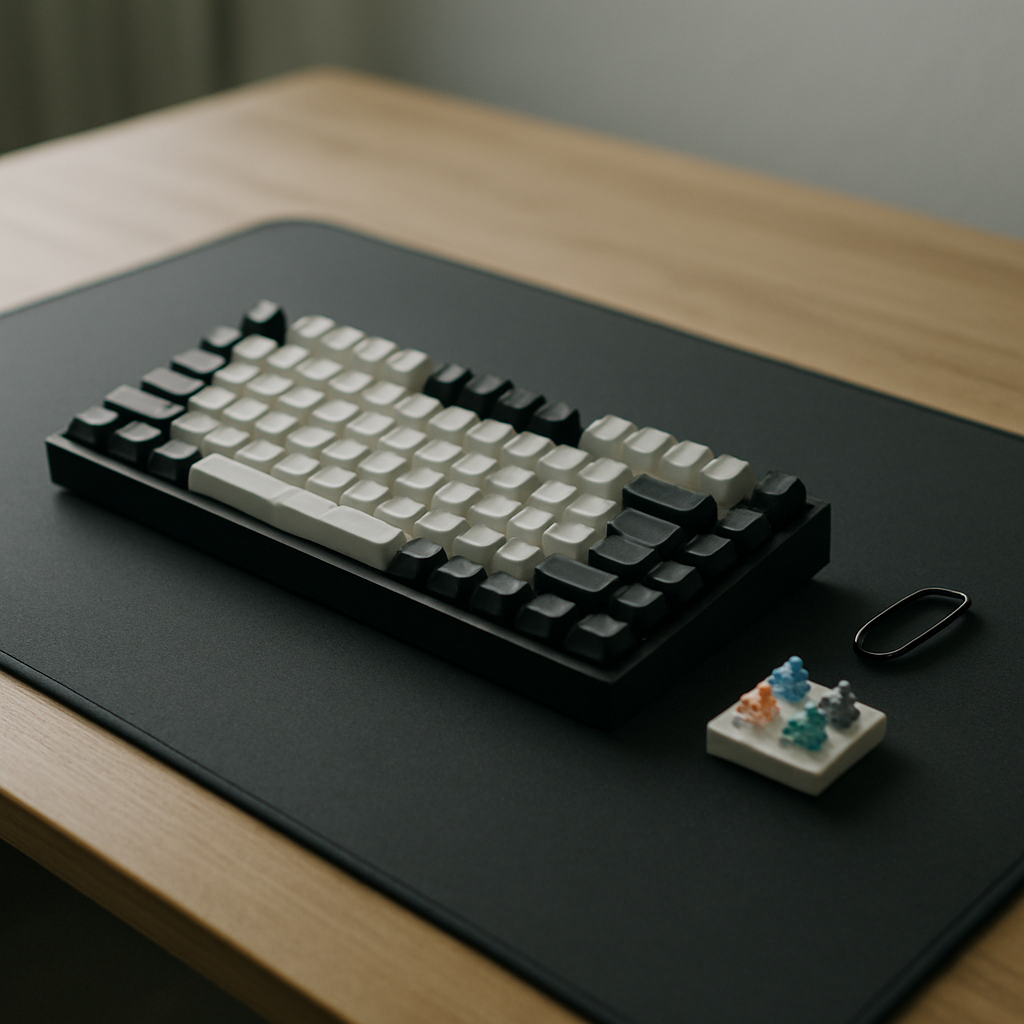
If you have spent any time browsing desk setup photos online, you have probably noticed that almost every impressive workspace features a mechanical keyboard. It is not a coincidence. A good keyboard is the piece of your setup you physically touch more than anything else, and yet most people happily type on whatever mushy board came free with their computer. This guide cuts through the hobbyist jargon and explains what actually matters when choosing your first mechanical keyboard.
Why Mechanical Keyboards Are Worth the Hype
The keyboards bundled with office PCs use rubber dome membranes. Press a key and you squash a small rubber cup until it makes contact with a circuit. It works, but it feels vague, wears out unevenly, and offers no feedback about whether your keystroke registered.
Mechanical keyboards give every single key its own physical switch. The result is a more consistent, more satisfying typing experience that many people find reduces fatigue over long sessions. Switches are typically rated for 50 to 100 million presses, so a decent board will outlast several computers. There is also the simple pleasure factor: typing on a well-built keyboard feels good in a way that is hard to explain until you try it.
Understanding Switches Without the Jargon
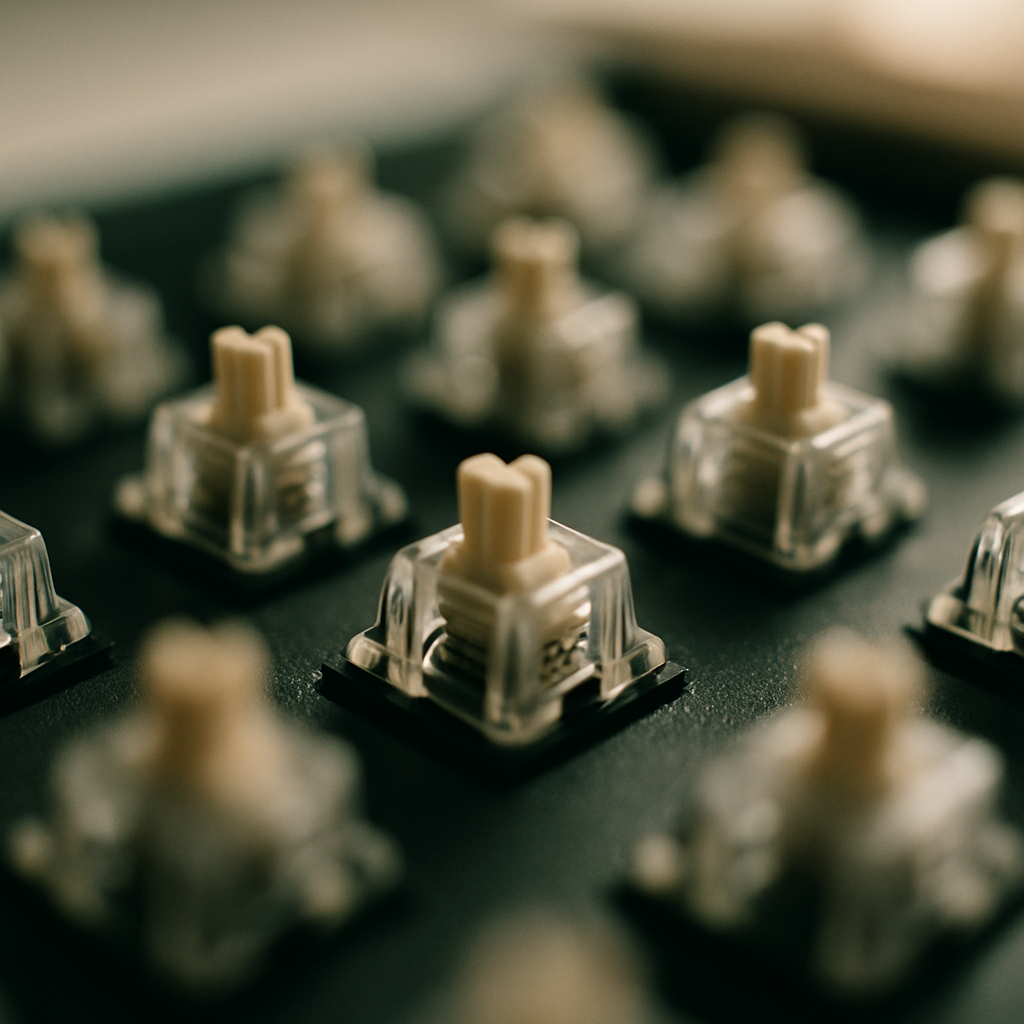
Switch talk is where beginners get lost, so here is the short version. Switches come in three broad families:
Linear switches feel smooth from top to bottom with no bump or click. They are popular with gamers and people who dislike noise. If you share an office or take a lot of video calls, linears are a safe choice.
Tactile switches have a gentle bump partway down the keypress that tells your fingers the stroke has registered. Many typists consider these the best all-rounder because you get feedback without much extra noise.
Clicky switches add an audible click to that tactile bump. They are wonderfully satisfying and absolutely infuriating to anyone sitting near you. Buy these only if you work alone.
Do not agonise over specific switch brands at the start. The difference between a tactile and a linear switch is enormous; the difference between two similar tactile switches from different manufacturers is subtle.
Choosing the Right Size and Layout
Full-size keyboards with a number pad are increasingly rare on well-designed desks, and for good reason. That number pad pushes your mouse further to the right, forcing your shoulder into an awkward angle all day.
The most popular sizes for desk setups are:
- Tenkeyless (TKL): a full keyboard minus the number pad. The easiest transition for most people.
- 75 percent: keeps the function row and arrow keys but squeezes everything together. A great balance of function and footprint.
- 65 percent: drops the function row but keeps arrows. Compact and clean-looking.
- 60 percent: no arrows, no function row. Minimalist heaven, but expect a learning curve with key combinations.
If you work with spreadsheets daily, keep a standalone number pad you can pull out when needed. You get the ergonomic benefit of a compact board without losing the tool you rely on.
What to Look for at Each Price Point
Around the entry level, expect a solid board with decent stock switches and basic keycaps. These are genuinely good now, and the days of terrible budget mechanical keyboards are largely behind us. Look for hot-swappable sockets, which let you change switches later without soldering.
In the mid-range, you gain better build materials, gasket-mounted designs that soften the typing feel, quality stabilisers on the larger keys, and wireless connectivity that actually works reliably. This is the sweet spot for most people building a serious desk setup.
At the high end, you are paying for machined aluminium cases, premium keycap sets, and refined acoustics. Lovely, but firmly optional. A mid-range board with a nice set of keycaps will get you 90 percent of the experience.
Whatever your budget, prioritise a board with adjustable typing angle and consider a wrist rest if you type for hours at a stretch.
Making It Match Your Setup
One underrated advantage of mechanical keyboards is customisation. Keycaps come in thousands of colourways, so your keyboard can tie your whole desk together, echoing the tones of your desk mat, monitor light bar, or wall art. Swapping keycaps takes twenty minutes and completely transforms the look of a board.
A quick practical note: check your keycap profile and switch stem compatibility before buying, and stick to keycaps made for standard layouts if your board has one.
Final Thoughts
You do not need to fall down the enthusiast rabbit hole of lubed switches and custom builds to benefit from a mechanical keyboard. Pick a tactile or linear switch, choose a size that frees up mouse space, and buy from a brand with hot-swap support so you can experiment later. Your hands spend thousands of hours a year on your keyboard. Of all the upgrades you can make to your desk, this is the one you will literally feel every single day.